Isang ledger, walong identity
Bawat sensitibong field ay naka-encrypt gamit ang AES-256-GCM, na may sariling random na IV.
Protektahan ang iyong mga password, passkey, 2FA, at bank card gamit ang AES-256-GCM encryption. Lokal muna, opsyonal na iCloud sync.
Built on modern iOS primitives
Hindi 'password app' — isang encrypted ledger na pinagsasama-sama ang lahat ng digital identity sa isang lugar. Ang lahat ng sensitibong field ay independenteng naka-encrypt gamit ang AES-256-GCM, at locally lang nababasa.
Bawat sensitibong field ay naka-encrypt gamit ang AES-256-GCM, na may sariling random na IV.
I-scan para mai-save. Pinupuno ng AutoFill ang 6-digit code kasama ng password.
Random na string o EFF wordlist phrase. Live na entropy meter.
Generated at naka-store nang lokal. Hindi umaalis sa device ang private key sa plaintext.
Ang unang 5 chars lang ng SHA-1 hash ang umaalis sa device. Ang password mo ay hindi.
System-level AutoFill extension. Kinukumpirma ng Face ID; pinupuno din ang mga code.
Naka-route via Apple's private CloudKit. Ang mga sensitibong field ay naka-encrypt sa device bago i-upload — ciphertext lang ang lumipat-lipat ng device.
1Password · Bitwarden · LastPass · KeePass · Dashlane · Apple Keychain. Tatlong export format: JSON / CSV / 1PUX.
Bawat password change ay nagse-save ng dating value — hanggang 5 history versions, one-tap rollback. Ang nabura ay napupunta sa Trash.
Ang pasteboard ay auto-clear sa 5 preset (15-90s); ang foreground / background auto-lock ay magkahiwalay na configurable.
Dalawang widget: mabilis na vault access + on-the-fly password generator.
Built-in TOTP, on-device security audit, at Passkey — ang tatlong lugar kung saan pinaka-malinaw na lumalampas ang ByteGuard.
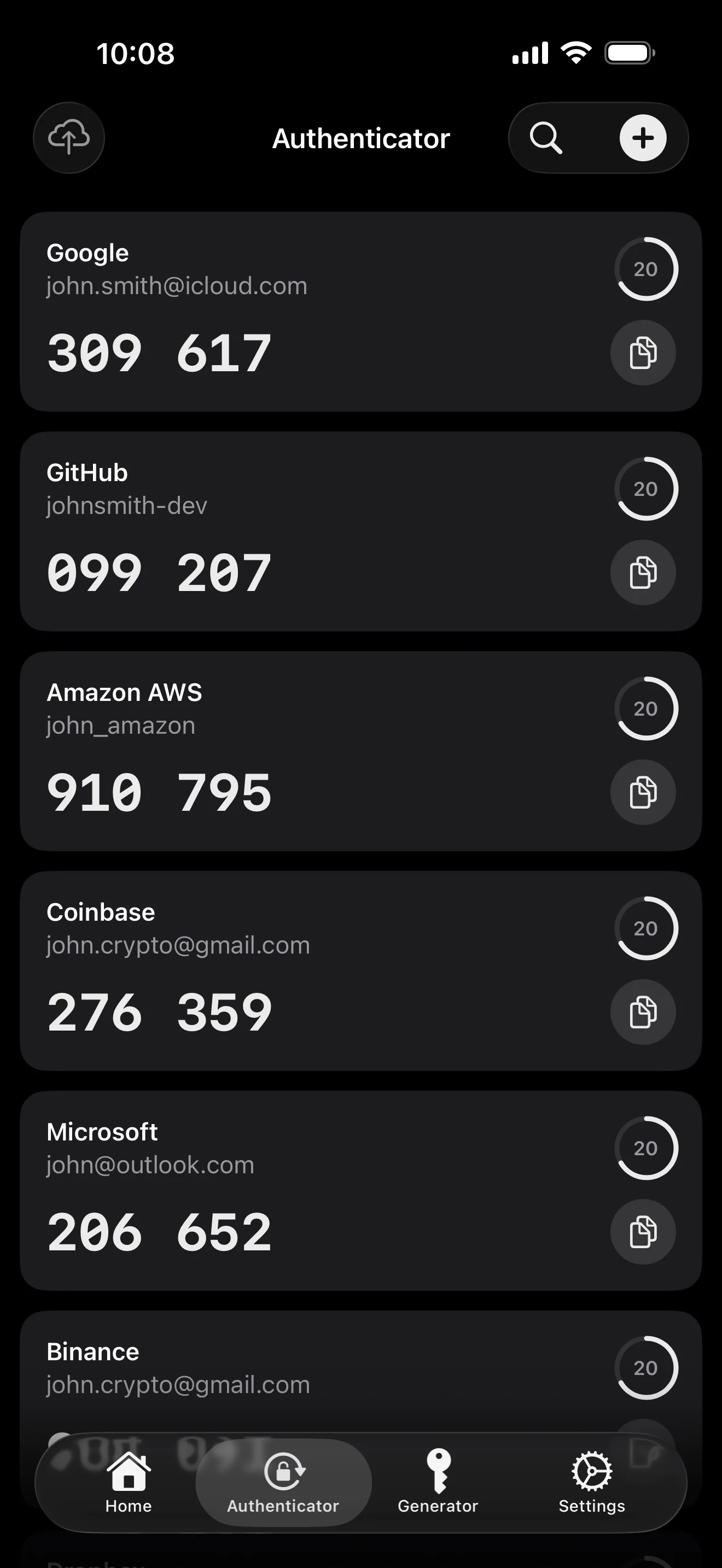
Scan to save — every 2FA in one place. The detail page shows the live code with a countdown ring; long-press to copy. With AutoFill, the code goes in along with username and password.
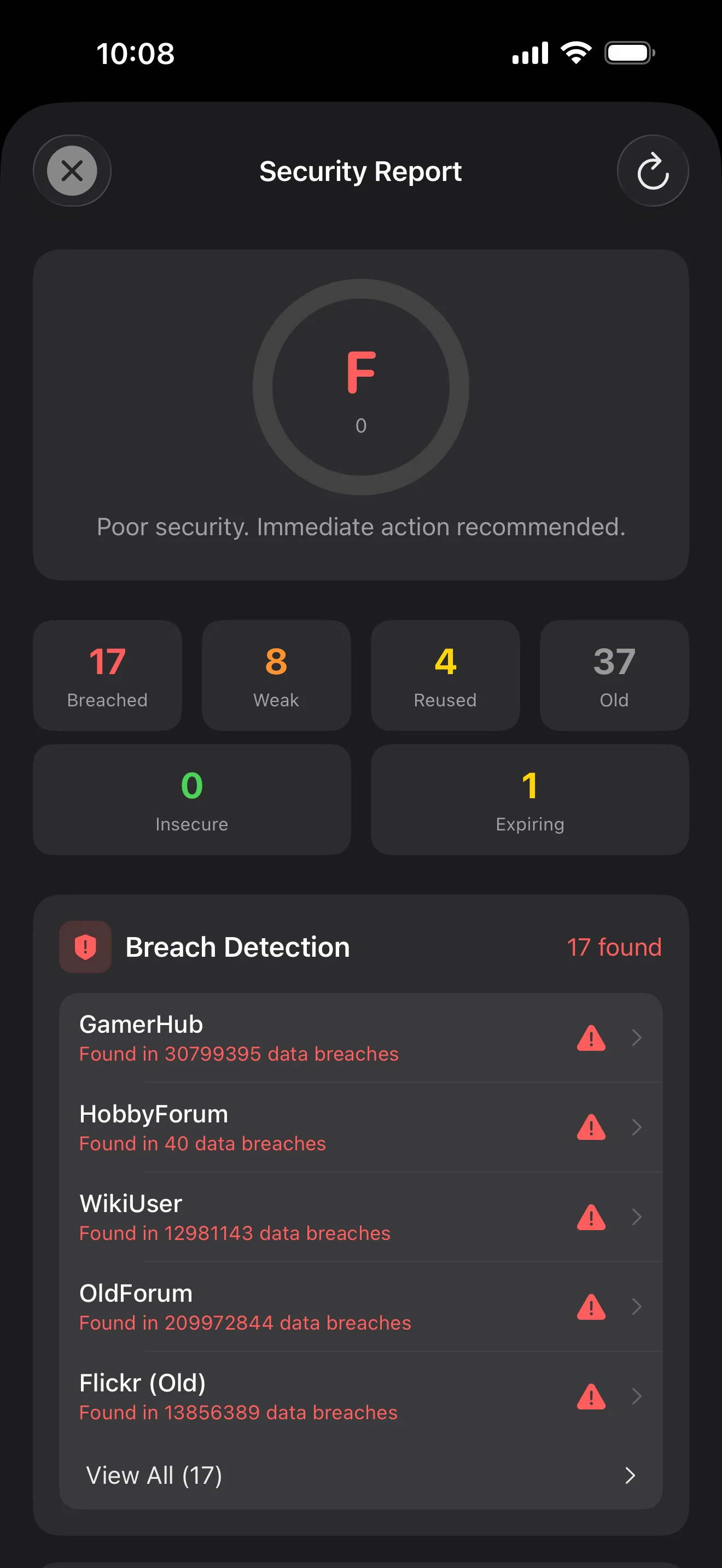
Backed by Have I Been Pwned with the k-anonymity protocol — only the first 5 chars of the SHA-1 hash ever leave the device. Every weakness comes with a concrete next step.
WebAuthn / FIDO2 standard. ES256 (ECDSA P-256, COSE alg -7). Private keys are AES-256-GCM encrypted with the Item Key — plaintext never written to disk. AutoFillExtension handles registration and assertion via the Apple system bridge.
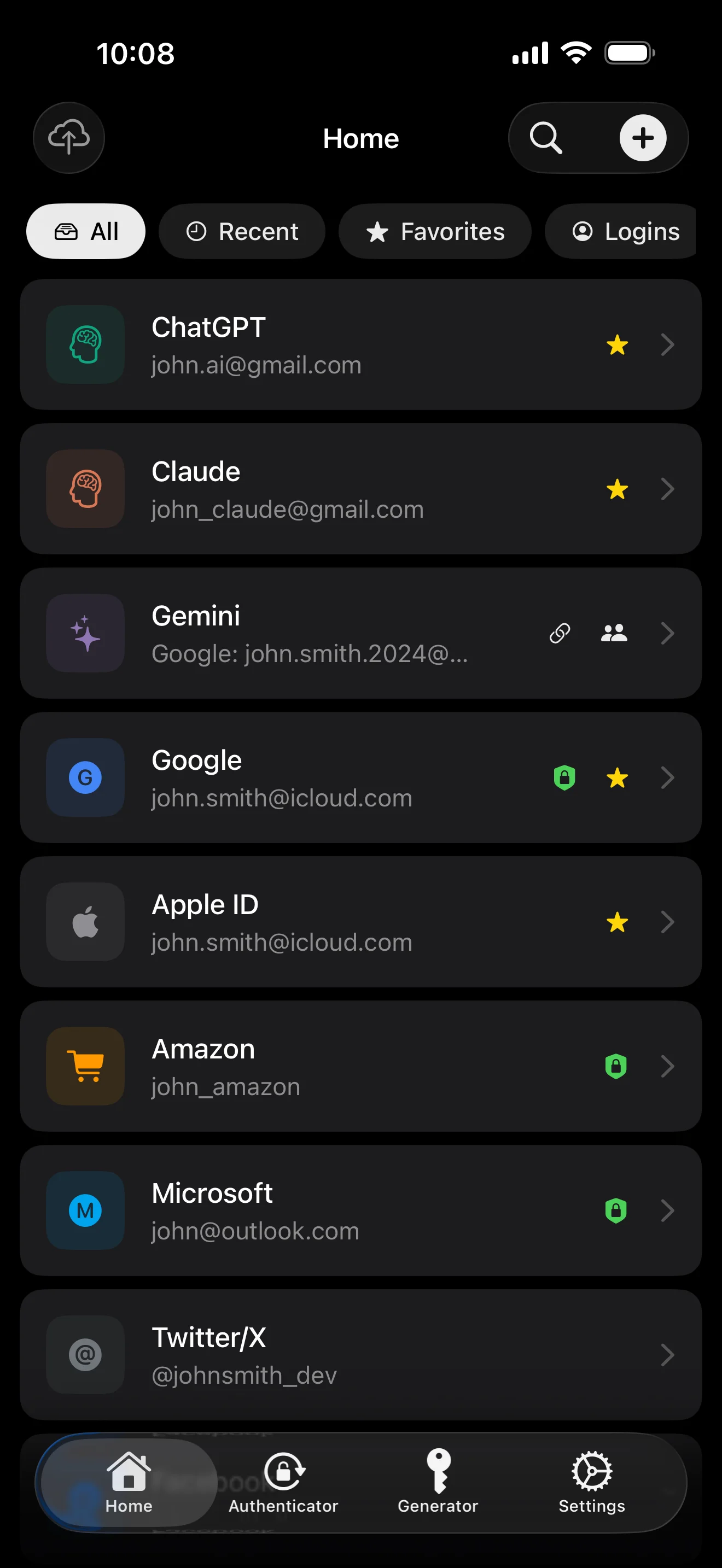
Sampung screen, sa pagkakasunod-sunod ng senaryo — ang buong app, dinaanan. Walang marketing copy.
Top 10 / All / Favorites / Logins multi-view; live filtered search. All eight DataType cases run the full field-level encryption pipeline — not a 'password app', but a digital-identity ledger.
Scan to save — every 2FA in one place. The detail page shows the live code with a countdown ring; long-press to copy. With AutoFill, the code goes in along with username and password.
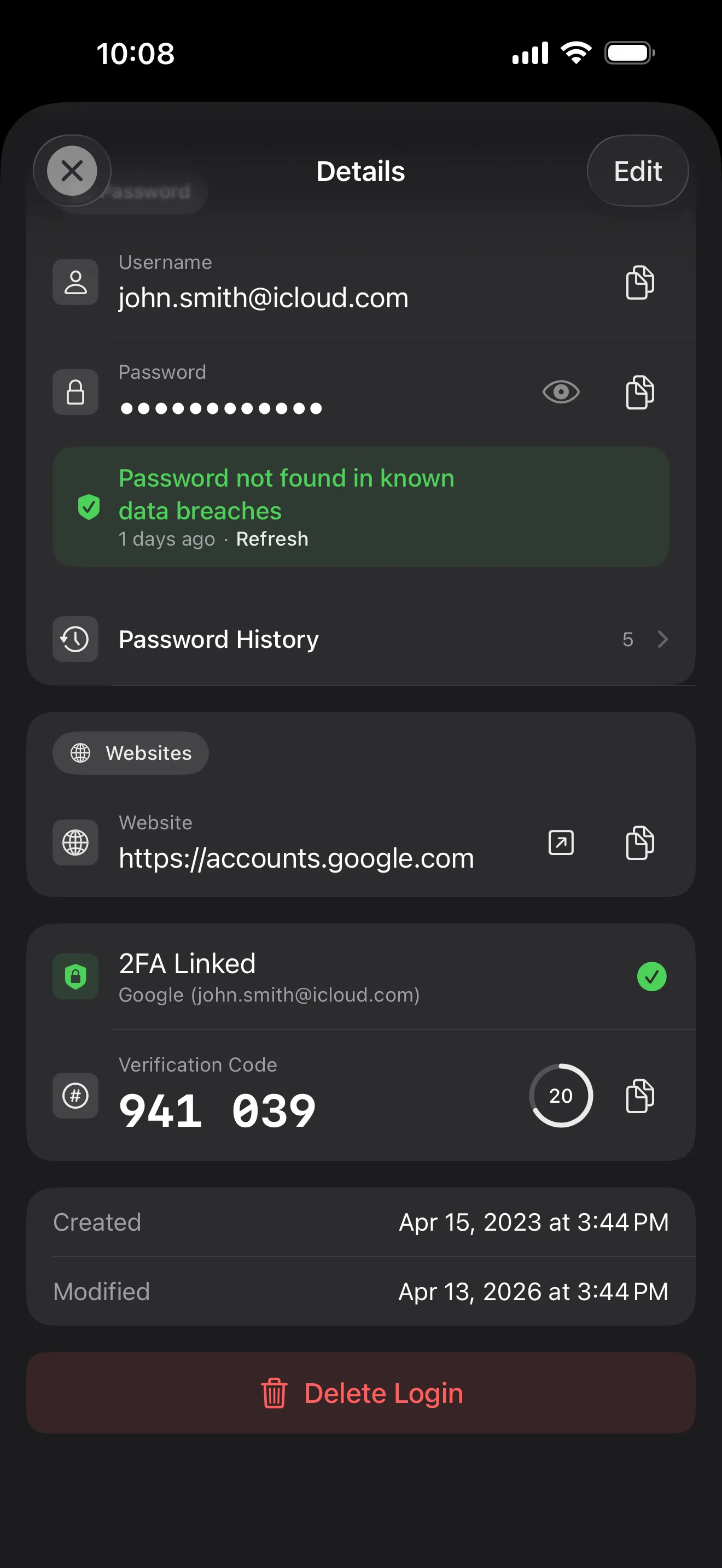
Login detail: username, password, history, linked TOTP, website, custom fields. Each sensitive field independently decrypted with its own IV, shown only on demand. Copy auto-clears the clipboard.
Every change saves the previous value (spec:R3 — up to 5 versions kept); tap the timeline to restore. Deleted items are retained for 90 days before permanent removal.
Backed by Have I Been Pwned with the k-anonymity protocol — only the first 5 chars of the SHA-1 hash ever leave the device. Every weakness comes with a concrete next step.
Random (4-64 chars / exclude look-alikes / digits-only for PIN) or EFF passphrase, with live entropy meter. Replaces the old value and records the change in history.
AutoFill Extension uses Apple's official ASCredentialProviderViewController; after Face ID / Touch ID, the username, password and TOTP all go in together. Info.plist also declares SupportsSavePasswordCredentials, so new passwords save back to ByteGuard from any flow.
WebAuthn / FIDO2 standard. ES256 (ECDSA P-256, COSE alg -7). Private keys are AES-256-GCM encrypted with the Item Key — plaintext never written to disk. AutoFillExtension handles registration and assertion via the Apple system bridge.
Card number (PAN) gets its own AES-256-GCM key with a unique IV. Cardholder name, expiry, brand (Visa / Mastercard / etc.) stay searchable as metadata. CVV/CVC are never persisted on this device.
AppearanceMode three modes: system / light / dark — switch any time, no restart. Premium tier unlocks multi-color themes; Home Screen widgets stay in sync.
Ang master password mo ay hindi kailanman umaalis sa device. Ang Secret Key mo ay locally generated at naka-store sa Apple's end-to-end encrypted Keychain — kahit Apple ay hindi ito mababasa.
password + Secret Key + 32B salt → Master Key. Parameter: 64 MB memory · 3 iterations. Resistant sa GPU/ASIC attacks.
Master Key → KEK → random DEK. Bawat vault ay may sariling DEK — walang horizontal decryption path.
Bawat sensitibong field ay independenteng naka-encrypt · bagong random IV sa bawat write. Parehong plaintext → magkaibang ciphertext.
Isang random key (12-word BIP39 mnemonic ang anyo), independyente sa master password. Kahit malaman ang master password, hindi pa rin ma-decrypt.
No competitor table. No checkmarks. Just an indie developer listing — plainly — what I wrote, and what I deliberately didn't. Read it, then decide whether to trust me with your ledger.
Every sensitive field encrypted independently, with its own random IV.
64 MB memory × 3 iterations — resistant to GPU/ASIC brute force.
A random key independent of the master password — your second line of defense.
iCloud sync can be turned off in one tap; the app falls back to pure local storage.
Only the first 5 chars of the SHA-1 hash are sent — your password never leaves the device.
AutoFill, Passkey, and TOTP all use Apple's official APIs. No reinvented wheels.
No analytics. No tracking. No ads. No crash reporters.
XSS, extension supply-chain attacks, CDN takeovers — that surface is excluded by architecture, not policy.
Each platform means re-implementing the crypto primitives correctly. Get one line wrong and the whole chain breaks.
Sharing is trust delegation — I'm still working out how to do it right. Until I am, I won't ship it.
Under zero-knowledge, self-hosting just shifts the operational burden to you with no real security gain.
Honestly: I haven't paid for one yet. The /security page documents every crypto decision against the source so anyone can verify independently. Independent audit + open-sourcing the crypto core are both on the 2026 roadmap — follow the GitHub repo to be notified when they land.
If I could recover it, it wouldn't be zero-knowledge. The most reliable backup is still old-school: write your master password and Secret Key on paper and store them apart.
Crypto-related changes will move very conservatively. Stability over novelty.
Walang nakatagong bayad. Mag-subscribe buwan-buwan, taon-taon, o bumili nang minsan para habambuhay. Lahat ng billing ay hawak ng Apple.
Indie developer ako. Ang ByteGuard ay ako mismo ang sumulat — walang team, walang funding, walang third-party na security review. Code ang sasagot — basahin ang white paper, suriin sa GitHub, at i-test kung naaayon sa pangangailangan mo. Ang tiwala ay dapat ibase sa nakikita, hindi sa branding.
Hindi ko ito mababawi. Iyan ang halaga ng zero-knowledge: hindi ko ma-reset ang hindi ko alam. Gamitin ang Face ID / Touch ID para sa araw-araw, at mag-set up ng emergency recovery — isulat ang Secret Key at iyong master password sa ligtas na lugar.
Depende ito kung in-enable mo ang iCloud Keychain sync para sa Secret Key. Kung in-enable, ito ay nasa Apple's end-to-end encrypted Keychain at maibabalik mula sa ibang Apple device. Kung hindi, kailangan mo ang nakasulat na backup.
Lahat ng sensitibong field ay naka-encrypt gamit ang AES-256-GCM bago umalis sa device. Ang natatanggap ng iCloud ay ciphertext lang. Kahit kompromisuhan ang account ng Apple mo, hindi pa rin ma-decrypt nang walang master password mo.
Dalawang dahilan. Limitado ang code na kayang i-maintain ng isang tao, at ang cross-platform ay nangangahulugang i-implement muli ang crypto core nang paulit-ulit — bawat platform ay isa pang attack surface. Mas pinili ang lalim sa Apple ecosystem kaysa lawak.
Direktang import mula sa 1Password / Bitwarden / LastPass / KeePass / Dashlane / Apple Keychain export file. Karaniwang ilang minuto lang. Tingnan ang detalyadong gabay sa import sa loob ng app.
Permanente ang $9.99 lifetime at kasama ang lahat ng future updates. Kahit magkaroon ng 'premium subscription' tier, ang lifetime mo ay hindi maaapektuhan — iyan ang pangako.