How Password Managers Actually Protect Your Data
From Caesar cipher to AES-256 — a visual guide to symmetric vs asymmetric encryption, zero-knowledge architecture, and how ByteGuard keeps your data safe.
Published: 2026-04-09 · 8 min read
From "HELLO" to "KHOOR": 2,000 Years of Encryption
Every password manager claims some version of "even we can't read your data." Is that a marketing promise — or a mathematical fact? The answer lives in a 2,000-year-old idea, and it's worth a few minutes to see why.
Imagine writing a secret note to a friend. Instead of writing "HELLO," you shift every letter forward by 3: H becomes K, E becomes H, L becomes O, and so on. Your message becomes "KHOOR." Anyone who intercepts it sees ciphertext — unless they know the trick.
This "shift by 3" technique is the Caesar Cipher. Roughly 2,000 years ago, Julius Caesar used it to send military messages — one of the earliest encryption methods we know of, and still a perfect way to grasp the core idea: transform readable data into something unreadable, using a secret rule.
Shifting letters by 3 is trivial to crack — only 25 shifts to try. Modern encryption runs on the same principle (scramble data with a secret rule), but instead of 25 possibilities, imagine a lock with astronomically many combinations.
That's the leap from Caesar's cipher to today's encryption: the number of possible "keys" went from a handful to more than the atoms in the observable universe.
Encryption turns your data into ciphertext using a secret key. Without the key, the data is meaningless. Modern encryption makes guessing the key computationally impossible — even if you pooled every supercomputer on Earth.
One Key or Two? Two Flavors of Encryption
Not all encryption works the same way. There are two fundamental approaches, and knowing the difference explains why password managers pick the algorithms they do.
🔐 Symmetric Encryption: One Key for Everything
Think of a padlock where the same key both locks and unlocks it. You and your friend each have a copy of the same key. You lock the box, send it over, and your friend unlocks it with their identical key.
This is symmetric encryption. One secret key encrypts the data and the same key decrypts it. It's fast and efficient — perfect for encrypting large amounts of data like your entire password vault.
📬 Asymmetric Encryption: A Mailbox With Two Keys
Now picture a mailbox on the street. Anyone can drop a letter through the slot (that's the public key), but only you have the key to open it and read the mail (that's the private key).
This is asymmetric encryption. Two mathematically linked keys — one public, one private — handle different jobs. It solves a problem symmetric encryption can't: how do you safely share a secret key with someone you've never met?
The same secret key encrypts and decrypts. Fast and efficient for bulk data.
Examples: AES-256 (industry default), ChaCha20 (another mainstream cipher, favored on phones and low-power devices)
Public key encrypts, private key decrypts; flip it around (private signs, public verifies) and you get digital signatures. Mainly used for secure key exchange.
Example: RSA (the classic one you've probably heard of)
In practice, most secure systems use both. Asymmetric encryption safely hands off a key, and symmetric encryption does the heavy lifting on the actual data. Password managers like ByteGuard lean on symmetric encryption (AES-256) for the vault itself — it's fast, and it's been battle-tested for over two decades.
▶ Deep Dive: Why AES-256 is the gold standard
AES-256 uses a 256-bit key, giving 2256 possible keys — roughly 1077, close to the estimated number of atoms in the observable universe. Even if every atom in the universe were a computer guessing a billion keys a second, you'd still run out of time before running out of keys.
No practical attack against AES-256 is publicly known.
AES was standardized by NIST as FIPS 197 in 2001, after a rigorous international competition. It replaced the aging DES standard, and banks and governments worldwide have used it ever since.
When AES runs in GCM mode (Galois/Counter Mode), it does authenticated encryption — not just scrambling the data, but also detecting tampering. Flip a single byte of ciphertext and decryption fails outright. Silent modifications aren't an option.
Symmetric encryption (one key) is fast and powers your vault. Asymmetric encryption (two keys) handles secure communication. AES-256 — the algorithm ByteGuard uses — is, for any computing power we can foresee, computationally infeasible to break.
Zero-Knowledge: Why Even We Can't Read Your Vault
Imagine renting a safety deposit box at a bank. The bank provides the vault, the security guards, and the steel door. But they don't have a key to your box. Only you do. The bank protects the building, but it literally cannot see what's inside your box.
That's zero-knowledge architecture. The service provider stores your encrypted data but never has the ability to decrypt it. They hold the vault, but not your key.
- Provider holds the encryption keys
- Provider can read your data
- Government can subpoena readable data
- Only AES-256-GCM ciphertext stored
- Even the developer can't read your data
- Mathematically impossible without your key
Zero-knowledge architecture and zero-knowledge proofs (ZKP) are entirely different concepts, despite the similar name. Zero-knowledge architecture means the service provider has zero knowledge of your data. ZKP is a cryptographic protocol where one party proves they know something without revealing the information itself. This article doesn't cover ZKP — just know the names are close but the concepts aren't.
Zero-knowledge architecture means even the password manager developer cannot see your data. Your encryption keys never leave your device. This is the highest standard of data protection — and the foundation ByteGuard is built on.
How ByteGuard Puts It All Together
Symmetric encryption, AES-256, zero-knowledge architecture — how does ByteGuard wire them into a single chain of protection?
Two Secrets, Not One — Phishing-proof + Theft-proof
Most password managers ask for a single Master Password. ByteGuard requires two secrets: your Master Password, plus a Secret Key — a 128-bit random value (a long, randomly generated string) stored in your device's Keychain (iOS's built-in secure storage).
Why two? Because neither one is enough on its own. Phished your Master Password? Without the device, attackers still can't decrypt anything. Stole the device? Without the Master Password, same result. You need both, together.
What Happens the Moment You Unlock ByteGuard
From the moment you type your password until your vault is sealed, here's the chain:
Your Master Password and Secret Key are combined, then run through a deliberately slow process (Argon2id) that makes brute-force guessing hopeless. The result is a master encryption key — but it's never used directly. Instead, HKDF-SHA256 derives a unique sub-key for each type of data in your vault, and every field gets locked separately with AES-256-GCM. Three specialized tools, three jobs: Argon2id slows attackers down, HKDF keeps keys isolated, AES-256-GCM locks each field with tamper detection built in.
Field-Level Encryption: Why It Matters
Many password managers encrypt your entire vault as a single blob — like sealing everything into one giant safe. ByteGuard takes a different approach: each sensitive field (your password, card number, secure note) is encrypted independently with its own derived key.
- Granular access: Display metadata without decrypting sensitive fields
- Efficient sync: Only changed fields are transferred via iCloud
- Reduced exposure: Decrypting one field doesn't expose others in memory
- Simpler implementation: Encrypt everything at once
- All-or-nothing: Must decrypt the entire vault to read anything
- Sync overhead: Any change requires re-uploading everything
Field-level encryption lets ByteGuard show you a list of your accounts — website names, usernames — without ever decrypting the actual passwords in memory. Sensitive data gets decrypted only when you need it — and only the field you asked for.
▶ Deep Dive: Why Argon2id makes brute-force hopeless
Argon2id won the 2015 Password Hashing Competition, built with one goal: make password guessing as expensive as possible.
ByteGuard's parameters: 64 MB of memory per guess (67,108,864 bytes), 3 iterations, a 32-byte (256-bit) output, and a 16-byte salt.
Why 64 MB per guess? Older password hashing (like PBKDF2) barely uses any memory, so a single GPU can run millions of guesses in parallel. Argon2id forces every guess to claim 64 MB of dedicated RAM. A GPU with 24 GB of memory gets maybe 375 parallel guesses — versus millions with PBKDF2. That's not a speedup, that's a different league.
Custom chips don't save you either. ASICs are fast because they strip out everything except computation. But Argon2id insists on huge memory per operation, and memory is expensive on silicon. Want to run thousands of Argon2id instances in parallel? The on-chip RAM alone wrecks the economics.
Then 3 iterations multiply the cost: every guess runs the full 64 MB computation three times. Combine that with a strong Master Password, and brute-forcing ByteGuard's key derivation is effectively off the table.
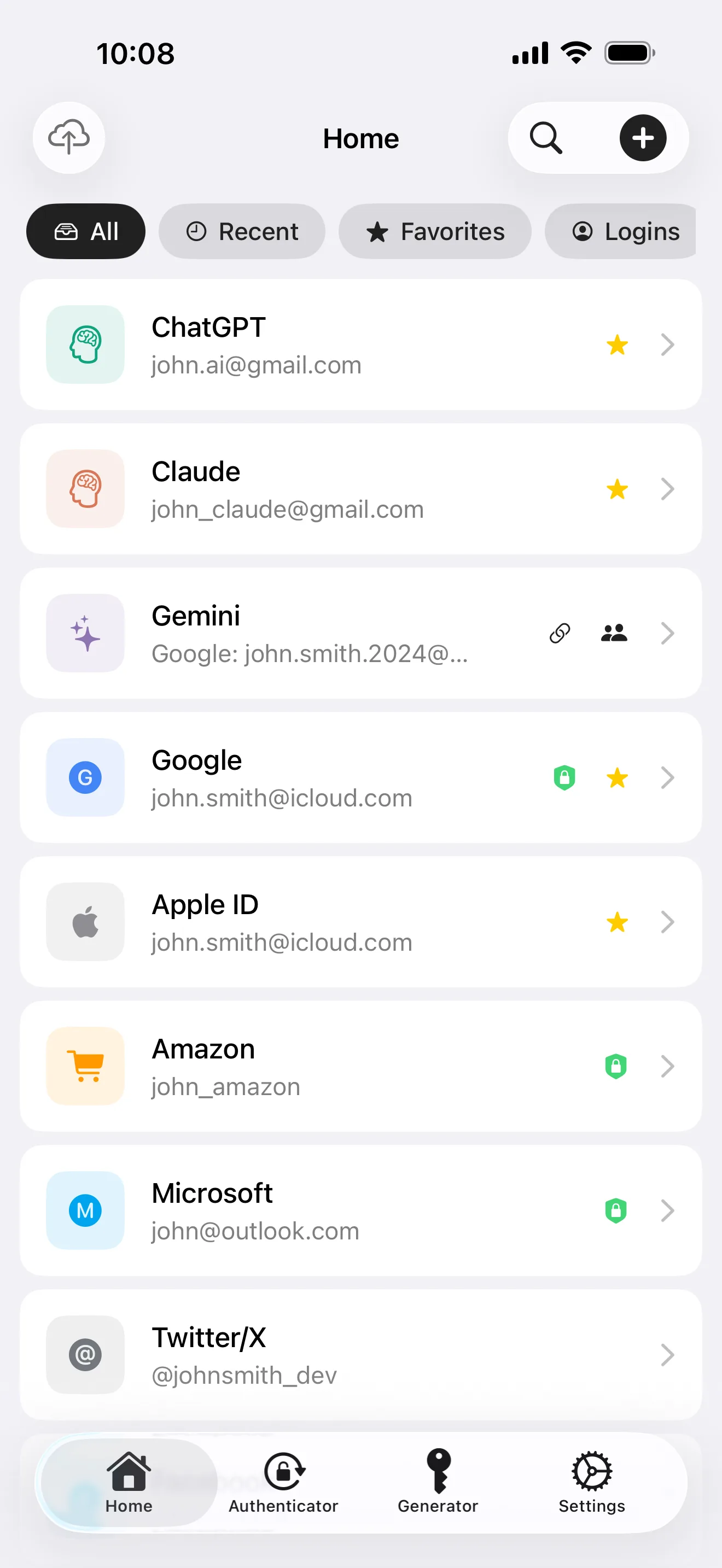
Every digital identity, in one place
- 8 item types: passwords, cards, TOTP, passkeys, API keys, IDs, licenses, notes
- AES-256-GCM field-level encryption, unique IV per record, OWASP-recommended parameters
- Local-first, optional iCloud sync (ciphertext only — even Apple can't read it)
Two secrets (Master Password + Secret Key) → Argon2id hardening → HKDF-SHA256 per-field keys → AES-256-GCM field-level encryption. Your data never leaves the device unencrypted. That's end-to-end encryption on top of zero-knowledge architecture.
The Key Stays in Your Hands
Master Password, Secret Key, device — all three sit with you. We don't hold the keys, and we can't see your data. That's not a marketing promise — it's how the math works.
Want to see this pipeline in actual code? In Part 3, we crack open ByteGuard's architecture — Argon2id parameters, HKDF derivation, field-level encryption — section by section.
Hold the key yourself, starting tonight. Free, no account required — see the end-to-end encryption firsthand.
Download ByteGuard on the App Store →